Posts

Good Vector Design

Image
Good Vector Design

Pagination Wallpaper

Image

Graphic Design, Good Wallpaper

Image
Graphic Design, Good Wallpaper

Decent color vector

Image
Vector Design Create in indesign

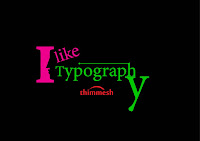
About Typography

Image
All letters are of typography. They also are constantly solid set, or different groups of rows of pins, sometimes asymmetrical shape. Good design starts, and it is nothing secondary set of individual lines of text, since it is a book or a newspaper, even daily. Using the same font size and type, you can dial and fine lines, and are difficult to read, the following lines are not easy to read. Large and solid set much justification can ruin almost any font. But before all form letters themselves huge boost readability or, conversely, to reduce it. Not many people think about the size of the font. Best suited for a particular purpose of the vast number of font selection available to the common man hardly afford. And it's not just a question of taste.

Using the CMYK color

Image
CMYK model is based on the light-absorbing quality of ink printed on  paper. As white light strikes translucent inks, a portion of the spectrum is absorbed. Color that is not absorbed is reflected back to your eye.  Combining pure cyan (C), magenta (M), and yellow (Y) pigments would result in black by absorbing, or subtracting, all colors. For this reason they are called subtractive colors. Black (K) ink is added for better shadow density. (The letter K came into use because black is the “key” color for  registering other colors, and because the letter B also stands for blue.) Combining these inks to reproduce color is called four-color process printing. You can work with color values using the CMYK color mode, which is based on the CMYK color model. In CMYK mode, each of the CMYK process inks can use a value ranging from 0 to 100%. The lightest colors are assigned small percentages of process ink colors; darker colors have higher percentage values. For example, a brig...

Gray scale Print in InDesign

Image
However, color printing has become common for many types of documents, grayscale printing is still for many types of documents, including papers and magazines is used. For this reason, Adobe InDesign CS5.5 is a preset that automatically allows for projects to convert to grayscale when you print them. For clarity, you also can print all text in black. Also, CS5.5 InDesign as a gray scale image, you export a project so you can preview a document without using paper allows. 1) Go to the File and select the print option 2) Your Print Option Select 3)  Go the third option and out put color dialogue box. 4) Select the Composite grey and Print